
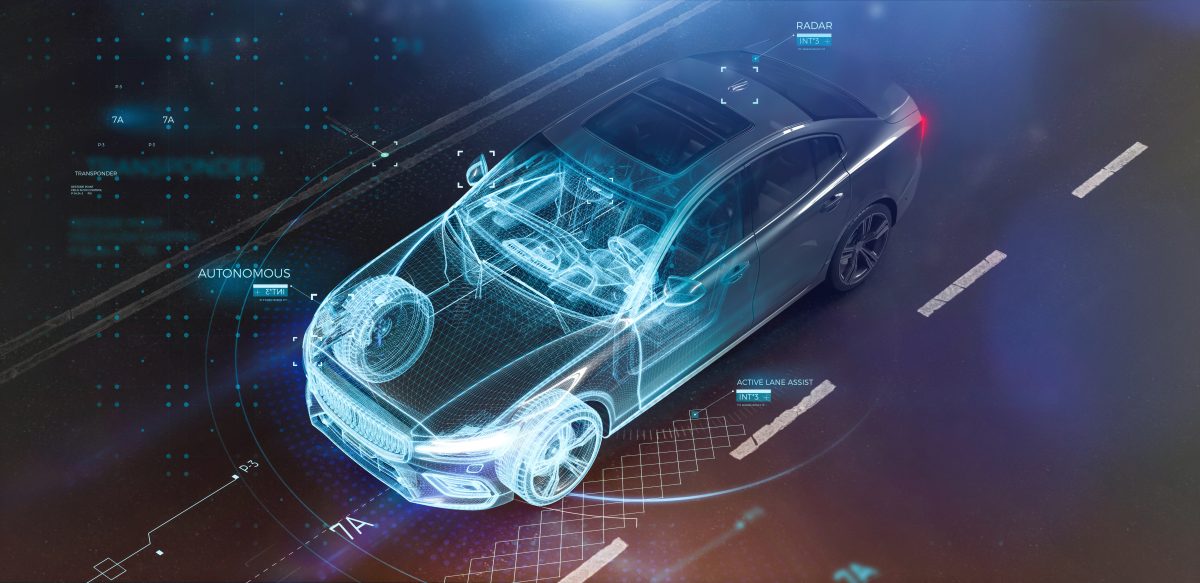
Le secteur automobile traverse une transformation sans précédent, où la digitalisation occupe désormais une place centrale. Autrefois purement mécanique, l’automobile d’aujourd’hui est devenue un objet connecté, fusionnant esthétique, ergonomie et technologies numériques de pointe. Les constructeurs rivalisent d’ingéniosité pour concevoir des véhicules qui, au-delà de leur performance sur la route, séduisent par une esthétique épurée et futuriste, intégrant des écrans tactiles intuitifs, des commandes vocales sophistiquées et des éclairages intérieurs adaptatifs. Cette symbiose entre design et technologie répond non seulement aux attentes d’un public toujours plus exigeant, mais également aux nouveaux usages de la mobilité, où l’expérience utilisateur prime désormais sur la simple puissance du moteur.
L’introduction des logiciels de modélisation 3D et de l’intelligence artificielle dans le processus de conception a permis aux designers d’automobiles de repousser les limites de leur créativité. Aujourd’hui, des simulations numériques complexes permettent d’optimiser l’aérodynamisme, tout en garantissant une esthétique qui mêle modernité et fonctionnalité. Des marques emblématiques telles que Tesla, BMW et Audi, par exemple, intègrent ces avancées pour proposer des modèles où chaque détail, du châssis aux phares, est conçu pour séduire visuellement tout en améliorant les performances globales du véhicule.
A lire également : Explorez de nouvelles possibilités avec l'impression 3D !
La voiture connectée: un cockpit futuriste
La montée en puissance des véhicules connectés redéfinit totalement la notion d’habitacle. Le tableau de bord traditionnel laisse place à un véritable cockpit numérique, où écrans haute définition et assistants intelligents dominent. Cette transition technologique ne se limite pas à l’intégration d’équipements innovants ; elle transforme également l’apparence et l’organisation de l’intérieur des voitures. Les designers intègrent désormais des interfaces minimalistes et intuitives, permettant aux conducteurs d’accéder en un clic ou par simple commande vocale à une multitude de fonctionnalités: navigation, divertissement, contrôle du climat, et bien plus encore.
Par ailleurs, cette approche design-tech s’accompagne d’un souci croissant pour la durabilité. L’utilisation de matériaux recyclés, associés à des solutions numériques moins énergivores, reflète une volonté de s’aligner sur les objectifs écologiques actuels, tout en répondant aux attentes des consommateurs modernes. Ce choix, qui combine esthétique et responsabilité, illustre parfaitement comment le mariage entre technologie et design peut donner naissance à des solutions innovantes et respectueuses de l’environnement.
A lire également : Le guide complet de l'appareil photo de votre téléphone
La mobilité flexible au service d’un nouveau public
Dans ce contexte de transformation, la manière dont les consommateurs accèdent à ces nouvelles technologies change également. L’apparition de services de location à long terme, comme ceux proposés par Yoyomove, facilite l’accès à des véhicules récents, connectés et esthétiquement irréprochables. En effet, avec ses offres de lld voiture occasion, Yoyomove s’adresse aussi bien aux particuliers qu’aux entreprises, en mettant à disposition des véhicules modernes tout en permettant de maîtriser les coûts liés à l’entretien et à la dépréciation. Cette solution se positionne comme une réponse pragmatique aux besoins croissants de flexibilité dans un marché en constante évolution.
Ces nouveaux modèles d’accès permettent ainsi aux consommateurs de bénéficier des dernières avancées en matière de design et de technologie automobile, sans les contraintes associées à la propriété. Ce système, combinant innovation et praticité, s’aligne parfaitement sur les attentes d’une société où la possession tend à laisser place à l’usage, offrant une expérience de mobilité fluide et adaptée aux exigences contemporaines.
Un futur où l’automobile devient une œuvre d’art technologique
Enfin, il est indéniable que l’automobile moderne s’éloigne de plus en plus de son rôle utilitaire initial pour devenir une œuvre d’art technologique. Cette transition ne se limite pas aux véhicules de luxe; elle touche également les segments plus accessibles du marché, où les consommateurs peuvent désormais profiter d’une esthétique et d’une expérience de conduite dignes des modèles haut de gamme. Les avancées en matière de réalité augmentée et de conduite autonome, combinées à des designs extérieurs audacieux, ouvrent la voie à une nouvelle ère où chaque voiture est une vitrine de l’innovation et du savoir-faire.
Les constructeurs continuent d’investir massivement dans des technologies émergentes, explorant des concepts futuristes comme les carrosseries interactives ou les systèmes de personnalisation en temps réel, qui permettent aux utilisateurs de redéfinir l’esthétique de leur véhicule en fonction de leurs envies. Ainsi, l’automobile de demain s’annonce comme un parfait équilibre entre innovation technologique, engagement écologique et plaisir visuel, confirmant son rôle central dans les évolutions sociétales et culturelles du XXIe siècle.